Many of you are doing cool things with your Android phone. But you might not know that your android phone is much more capable of doing many SUPERCOOL things.
Do you know that you can disable other people Wi-Fi internet connection on the same network? This can be done using an app called WiFiKill(For Android).

1. This App is for educational purpose only.
2. In order to install this app, you need to root your phone. This app works only on rooted devices.
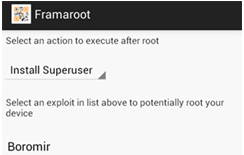
Learn how to root your Android Device with one click.
3. You can use it to play pranks with your friends like I do. Also if you own the Wi-Fi network, this app can be used to control the devices on your own network. Again, do not misuse this app as you can disconnect any device from the Wi-Fi Network to which you phone is connected. All the devices can lost their Internet connectivity with one click on your phone.
What WIFIKILL can do :

- Show the traffic consumed by the device.
- Show the network names of the devices.
- Can disable the Internet access of any grabbed device.
- You also see what other people surf on net and what they download from internet.
- Android 4.0 and above only.
- Grabbing traffic, showing websites visited by grabbed device
- Showing bytes transferred by “grabbed device”
- Showing network names (NetBIOS names) of devices
- Tablet friendly!
Download WiFiKill.app


How WiFiKill Works :
As you can do some hacking now, you should also know how this small app able to do such big things. When your phone is connected to the Wireless network, this app sends spoofing packets to all other devices and make then think that your phone is access point (or router). As a result, all the packets start flowing through your phone and then you can kick off them. This app will not disconnect them but only disable their Internet access and make them think that they are connected to a very slow Internet connection. You can find more about this app at XDA Developers.
Keep visiting Hackersfall.


.PNG)


.PNG)


